
Complete Google Ads Campaign Structure Guide for Beginners 2026

Introduction
One of the biggest reasons people waste money on Google Ads is poor structure. They create one campaign, throw in hundreds of keywords, write one ad, and wonder why they are not getting results.
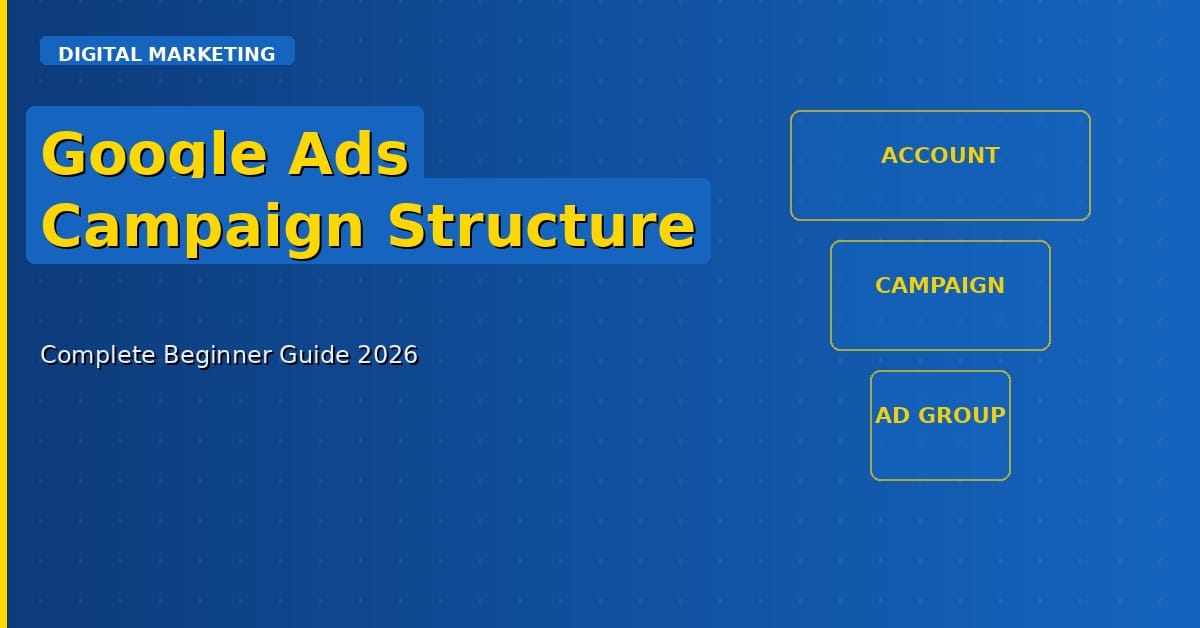
Google Ads has a very specific hierarchy – Account, Campaign, Ad Group, Keyword, Ad – and understanding this structure is the difference between campaigns that waste money and campaigns that make money.
This guide will walk you through the complete Google Ads campaign structure, explain what each level does, and show you how to set it up correctly for your business in 2026.
The Google Ads Account Structure: Overview
Think of Google Ads like a company:
- Your Account is the company
- Campaigns are the departments
- Ad Groups are the teams within each department
- Keywords are the job responsibilities of each team member
- Ads are the output that the teams produce
Everything must be organised logically. When it is, your ads reach the right people, your Quality Score improves, and your cost per click goes down.
Level 1: The Account
Your Google Ads account is the top-level. It contains all your campaigns, billing information, and account settings. One business should have one Google Ads account.
At the account level, you set up your billing, link your Google Analytics and Google Search Console, and configure conversion tracking.
Level 2: Campaigns
A campaign is where you set your overall budget, bidding strategy, target location, language, and campaign type. Each campaign should have a single, clear objective.
Common Campaign Types:
- Search Campaigns: Text ads that appear when people search on Google
- Display Campaigns: Banner ads across Google’s partner websites
- Shopping Campaigns: Product listing ads for e-commerce
- Performance Max: Google’s automated campaign type using all channels
- Video Campaigns: Video ads on YouTube
Best Practice: Create separate campaigns for different goals. For example, one campaign for brand keywords, one for non-brand keywords, and one for competitor keywords.
Level 3: Ad Groups
Ad groups sit inside campaigns. Each ad group contains a closely related set of keywords and the ads that correspond to them.
This is where most beginners make mistakes. They put all their keywords into one ad group. The problem is that if your ad group has ‘cheap shoes’ and ‘luxury shoes’ in the same group, your ad cannot speak to both audiences at the same time.
Best Practice: Create tightly themed ad groups. One ad group for ‘women’s running shoes’, another for ‘men’s running shoes’, another for ‘kids running shoes’. Each ad group should have 5–15 closely related keywords.
Level 4: Keywords
Keywords are the search terms you want your ads to appear for. Google Ads has three main match types:
Broad Match
Your ad can appear for searches related to your keyword — including synonyms and related searches. High reach but less control. Good for discovery.
Phrase Match
Your ad appears for searches that include the meaning of your keyword in order. Example: ‘running shoes’ could trigger ‘best running shoes for women’. More control than broad match.
Exact Match
Your ad only appears for searches that exactly match your keyword or very close variants. Highest control and usually best conversion rate.
Recommendation for beginners: Start with phrase match and exact match to maintain control over your spend.
Level 5: Ads
Ads are what users actually see when they search. A well-structured Google Search ad has:

- 3 headlines (up to 30 characters each)
- 2 descriptions (up to 90 characters each)
- A display URL
- Extensions: Sitelinks, callouts, structured snippets
Best Practice: Create at least 3 ads per ad group and use ‘Responsive Search Ads’ which automatically test combinations and show the best-performing version.
Real Example: Correct Campaign Structure for a Digital Marketing Agency
Account: XYZ Digital Marketing Agency
- Campaign 1: SEO Services (Budget: $500/month, Location: India)
- → Ad Group 1: SEO Services Mumbai | Keywords: ‘SEO services Mumbai’, ‘SEO agency Mumbai’
- → Ad Group 2: SEO for Small Business | Keywords: ‘SEO for small business India’, ‘affordable SEO India’
- Campaign 2: Google Ads Management (Budget: $300/month)
- → Ad Group 1: Google Ads Agency | Keywords: ‘Google Ads agency India’, ‘PPC management India’
Common Mistakes in Campaign Structure
- Too many keywords in one ad group – keep it tightly themed
- Mixing campaign goals – one campaign should have one clear objective
- Ignoring negative keywords – always add negative keywords to prevent irrelevant clicks
- Not using ad extensions – extensions increase your ad’s click-through rate
- Not separating branded and non-branded keywords – they have different bidding strategies
Frequently Asked Questions
How many campaigns should I start with?
Start with 2–3 campaigns maximum. Get them working well before expanding. More campaigns with less budget means none of them gets enough data to optimise properly.
What is a good budget for Google Ads in India?
For most small businesses in India, starting with Rs. 500–1,000 per day (about $6–12 per day) per campaign gives enough data to optimise within 30 days.
How often should I review my campaign structure?
Review weekly for the first month. Once campaigns are performing well, monthly reviews are sufficient.
Conclusion
A proper Google Ads campaign structure is the foundation of profitable advertising. Account → Campaign → Ad Group → Keyword → Ad. Each level has a purpose. Respect the hierarchy, keep ad groups tightly themed, use the right match types, and always add negative keywords.
Build this structure right from the beginning, and you will spend less, get more clicks, and convert more customers.


