Complete On-Page SEO Checklist 2026 (Free Downloadable Template)

Introduction
On-page SEO is everything you do on your web page to help it rank higher in search results. Unlike off-page SEO (backlinks), on-page SEO is completely in your control. And if you follow a consistent checklist every time you publish, you give every post its best chance to rank.
This complete on-page SEO checklist covers every element you need to optimise — from keyword research to technical elements. Save this page and use it before publishing every single blog post.
KEYWORD RESEARCH (Before You Write)
- Identify one primary keyword (main topic of the post)
- Find 3–5 secondary/LSI keywords (related terms)
- Verify keyword has search volume (use Google Keyword Planner or Ubersuggest)
- Check keyword difficulty — target under 40 for new sites
- Confirm search intent matches your content type (informational/commercial/navigational)
TITLE TAG Optimisation
- Primary keyword appears in the title tag
- Title is under 60 characters (to avoid truncation in SERPs)
- Title is compelling and clickable — includes a number or power word when appropriate
- Title matches the content (no clickbait)
- Title is unique — not duplicated from another page on your site
URL SLUG Optimisation
- URL contains the primary keyword
- URL is short and descriptive (e.g., /on-page-seo-checklist, not /blog-post-2026-seo)
- URL uses hyphens, not underscores, between words
- URL is all lowercase
- No dates in URL (unless content is time-sensitive news)
META DESCRIPTION Optimisation
- Meta description is between 150 and 160 characters
- Contains the primary keyword
- Reads as a compelling call-to-action or value proposition
- Is unique — not duplicated across pages
CONTENT QUALITY
- An introduction hooks the reader in the first 100 words
- Primary keyword appears in the first 100 words naturally
- Content comprehensively answers the search query
- Content is original — not copied or paraphrased from other sources
- Content includes real examples, data, or personal experience
- Content word count matches competitors on page 1 (check top 3 results)
- Paragraphs are short — 2–4 sentences maximum
- No grammatical errors or spelling mistakes
HEADING STRUCTURE (H1, H2, H3)
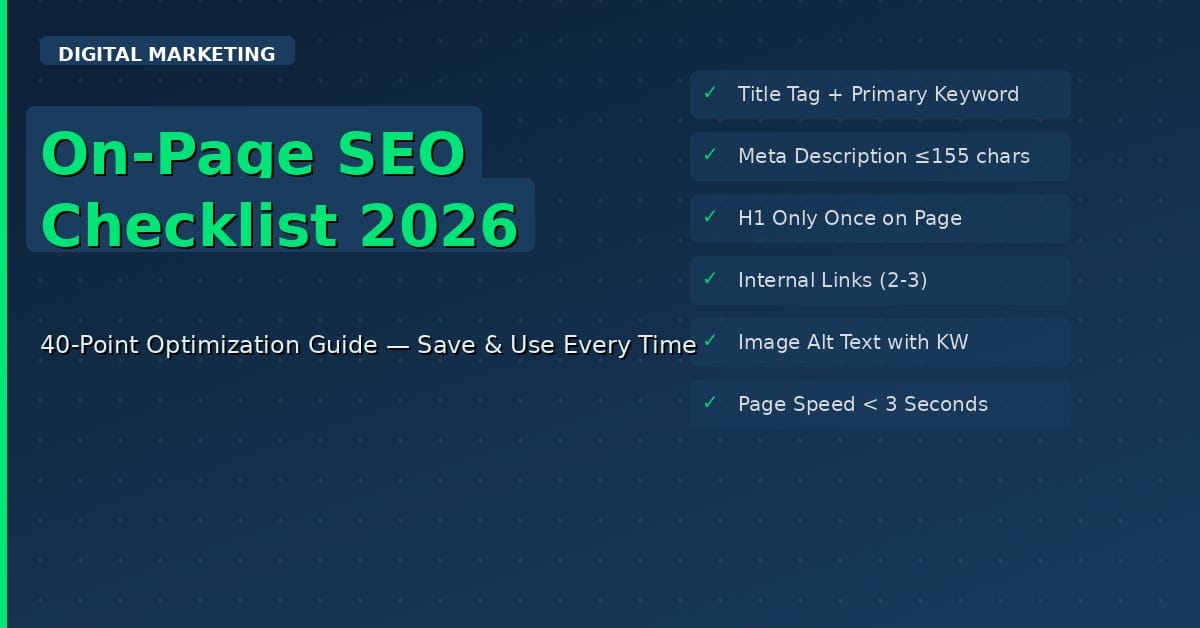
- Only ONE H1 tag on the page (the main title)
- H1 contains the primary keyword
- H2 and H3 headings are used to organise content logically
- At least one H2 contains the primary keyword or a secondary keyword
- Headings are descriptive — they tell the reader what the section is about
IMAGE OPTIMIZATION
- All images have descriptive alt text (including the keyword where relevant)
- Images are compressed — use WebP format for best performance
- Image file names are descriptive (not ‘image001.jpg’ but ‘on-page-seo-checklist.jpg’)
- Images are relevant to the content — not stock photos used just to fill space
- Add captions where helpful
INTERNAL LINKING
- Link to at least 2–3 related posts on your website
- Anchor text is descriptive (not ‘click here’ but ‘learn more about keyword research‘)
- No broken internal links
- High-authority pages on your site link back to this post
EXTERNAL LINKING
- Link to 1–2 authoritative external sources to support claims
- External links open in a new tab
- No linking to direct competitors
TECHNICAL ON-PAGE SEO
- Page loads in under 3 seconds (test with PageSpeed Insights)
- Page is mobile-responsive
- HTTPS is enabled on your site
- Canonical tag is set correctly (no duplicate content issues)
- Schema markup is added — at least Article schema
- Add the FAQ schema if the post includes an FAQ section
FAQ SECTION
- Add 5–7 FAQs relevant to the topic at the end of the post
- Answer each FAQ concisely (under 100 words)
- Add FAQ schema markup (increases chance of appearing in featured snippets)
CALL TO ACTION
- Clear CTA at the end of the post
- CTA is relevant to the content (newsletter, related post, free download, etc.)
AFTER PUBLISHING
- Submit URL to Google Search Console for immediate indexing
- Share on social media channels
- Add internal links from older relevant posts to this new post
Frequently Asked Questions
How long does on-page SEO take to show results?
On-page SEO improvements can start showing results in 4–12 weeks, depending on your site’s authority and competition. New sites typically take 3–6 months to rank.
Is on-page SEO more important than backlinks?
Both are important. On-page SEO is your foundation — without it, even strong backlinks won’t help you rank. Always optimise on-page first, then build backlinks.
Conclusion
On-page SEO is the foundation of every successful blog post. The checklist above covers every element Google considers when ranking your content. Print it, bookmark it, and run through it before publishing every single post on aicontenthive.com.
Consistency is the key. Optimise every post, and over time, your rankings, traffic and AdSense revenue will grow steadily.