How to Do Keyword Research for SEO: A Complete Step-by-Step Guide (2026)


Every piece of content I have ever published that ranked on Google started with one thing: proper keyword research for SEO. Not guesswork. Not trending topics pulled from social media. Just knowing, with data to back it up, exactly what my audience types into Google before I sit down to write a single word.
Here is a stat that puts this entire discipline in perspective: 94.74% of all keywords receive 10 or fewer monthly searches, and around 94% of all web pages receive no traffic from Google whatsoever. That means most content fails before it even gets published — because nobody checked what people are actually searching for.
This guide walks you through keyword research for SEO from scratch. I will cover how to find the right keywords, how to evaluate them properly, and how to build a content strategy that earns page one rankings and AI answer citations — in ChatGPT, Perplexity, and Google AI Overviews — in 2025.
Why Keyword Research Still Matters in 2025
The SEO landscape looks very different from even two years ago. AI Overviews now appear in 47% of Google searches, cutting the click-through rate of the number one organic result by 34.5%. Zero-click searches are becoming the norm, and AI platforms like ChatGPT and Perplexity drove 1.13 billion referral visits in June 2025 alone.
Yet organic search remains the highest-ROI channel in digital marketing. Marketing professionals consistently rate it as generating a 16% return on investment — higher than paid social, email, and display combined.
The platform has changed. The principle has not. You still need to find out what your audience is searching for before you create content. Keyword research is how you do that.
Step 1: Start With Seed Keywords
Seed keywords are short, broad terms that define your topic area. They are usually one to three words, carry high search volume, and are intensely competitive. You are unlikely to rank for them directly, especially with a newer site — but they are your entry point for finding better, rankable keyword opportunities.
How to identify your seed keywords
- Write down every product, service, problem, or topic your audience cares about
- Look at competitor site navigation, category pages, and blog topic tags
- Type your topic into Google and note the autocomplete suggestions that appear
- Browse Reddit threads, Quora questions, and niche forums to see how real people phrase their searches
For a blog covering AI tools for digital marketers, your seed keywords might include: AI writing tools, SEO automation, content generation AI, and keyword research software. These become the inputs for every tool and research method that follows.
Step 2: Use the Right Keyword Research Tools
Once you have seed keywords, run them through dedicated keyword research tools. These expand your seed terms into hundreds or thousands of related keyword ideas, and attach real data — search volume, difficulty scores, CPC values — to help you decide what to target.
Google Keyword Planner
Google Keyword Planner is designed primarily for paid search campaigns, but it doubles as a solid free starting point for organic keyword research. The caveat: it is accurate only 45% of the time, with search volumes overestimated in approximately 54% of cases. Use it for directional insight, then cross-reference with a paid tool before making final targeting decisions.
Semrush
Semrush’s Keyword Magic Tool draws on a database of over 26 billion keywords. Beyond raw keyword ideas, it surfaces search intent labels, keyword difficulty scores, CPC data, and related question clusters. The Keyword Gap report is particularly useful — enter your domain alongside two or three competitor domains and it immediately shows every keyword they rank for that you do not.
Ahrefs
Ahrefs is widely regarded as the most accurate keyword research tool available, with a database of 28.7 billion keywords. Its standout feature is the “Clicks” metric — it shows how many actual clicks a keyword generates, not just how many times it is searched. This matters because with 58-60% of Google searches now ending without any click to an external site, a keyword with 5,000 monthly searches might generate far fewer actual visits than the raw number suggests.
Google Search Console
Free, often overlooked, and one of the most powerful tools in this list. Search Console shows every keyword your site already receives impressions and clicks for. Look for terms you rank in positions 6-20 — a few targeted tweaks to those pages can often push them into the top five.
Answer The Public and AlsoAsked
These tools generate question-based keyword suggestions drawn from Google’s autocomplete and People Also Ask data. They are particularly valuable for finding FAQ section content and identifying the exact questions that AI tools cite in their answers.

Step 3: Understand Search Intent Before Targeting Anything
Keyword research for SEO without accounting for search intent is the most common mistake I see beginners make. Google does not just match keywords to content — it matches content type and format to the reason behind the search. There are four search intent categories:
- Informational — the user wants to learn something (“how does keyword research work”)
- Navigational — the user wants to find a specific site (“Semrush login”)
- Commercial — the user is comparing options before buying (“best keyword research tools 2025”)
- Transactional — the user is ready to take action (“Semrush free trial”)
The fastest way to identify intent: open an incognito window and search the keyword you are considering. Look at the top five results. Are they blog posts, product pages, YouTube videos, or comparison articles? Your content format must match what Google is already rewarding for that term.
This matters even more for AI citations. Nearly nine in ten queries that trigger Google AI Overviews carry informational intent — and AI tools like Perplexity and ChatGPT preferentially cite content that provides clear, direct, well-structured answers to specific questions.
Step 4: Evaluate Keyword Metrics — What Numbers Actually Matter
Not every keyword that looks appealing on the surface is worth pursuing. Here is how I assess a keyword before committing to it:
Search Volume
The average monthly searches for a term. More is not always better. Long-tail keywords account for 70% of all search traffic — and a 500 searches/month keyword with low competition will consistently outperform a 50,000 searches/month keyword that a new site has no realistic chance of ranking for.
Keyword Difficulty (KD)
A 0-100 score estimating how hard it is to break into the top 10 results. For new or low-domain-authority sites, target keywords with a KD below 30. In Semrush’s Keyword Magic Tool, apply a KD filter capped at 30 and sort results by descending search volume — this surfaces the best combination of achievable difficulty and meaningful traffic potential.
CPC (Cost Per Click)
The amount advertisers pay per click for a keyword in Google Ads. A high CPC signals that the keyword has commercial intent and that buyers are searching for it — both signals that the keyword is worth ranking for organically.
Click Potential
With zero-click SERPs now the majority on mobile, always check whether your target keyword triggers a featured snippet, AI Overview, or Knowledge Panel that captures most clicks before they reach organic results. Ahrefs’ Clicks metric quantifies this directly.
Step 5: Find Long-Tail Keywords — Your Fastest Route to Rankings
If you are building a new site or entering a competitive niche, long-tail keywords are where your rankings will come from first. The average conversion rate for long-tail keywords is 36% — dramatically higher than head terms. They are specific, lower in competition, and indicate stronger purchase or learning intent.
91.8% of all search queries are long-tail keywords, according to Backlinko’s analysis of 306 million keywords. That is where the actual volume of search activity happens — and where new content can gain traction fastest.
| Term | Type | Difficulty | Intent |
|---|---|---|---|
| SEO tools | Short-tail | Very high | Unclear |
| keyword research for SEO | Mid-tail | Medium | Informational |
| best free keyword research tools for beginners | Long-tail | Low | Commercial |
| how to use Google Keyword Planner for SEO | Long-tail | Low | Informational |
In my testing, articles targeting long-tail terms with KD below 20 started appearing in Google Search Console impressions within three to four weeks. Broad-keyword articles targeting terms above KD 50 took six months or longer to show any movement at all.
Step 6: Competitor Keyword Research — Find What Already Works
Why build your keyword list from scratch when your competitors have already validated what works? Competitor keyword research is one of the fastest shortcuts in the entire SEO process.
My exact process
- Identify three to five competitors who rank in your niche but are at a similar domain authority level
- Run each competitor domain through Semrush Organic Research or Ahrefs Site Explorer
- Export their top-ranking keywords
- Filter for KD below 30 and search volume between 100 and 2,000
- Cross-reference with your existing content — prioritise the gaps you have not covered yet
Semrush’s Keyword Gap and Ahrefs’ Content Gap features automate this comparison. Input your domain alongside three competitor domains and the tools generate a visual overlap map of shared and unique keywords. During one analysis, a competitor I had never paid close attention to was ranking for 14 keywords I had never considered targeting — all with KD scores below 25 and clear informational intent.
Step 7: Organise Keywords Into Topic Clusters
Once you have a vetted keyword list, group keywords by topic and intent. This is the topic cluster model, and it is one of the most effective ways to build topical authority — the signal Google uses to determine whether your site genuinely covers a subject.
- Pillar page — a comprehensive, long-form article targeting a broad head keyword (e.g., “SEO guide for beginners”)
- Cluster pages — supporting articles targeting specific sub-topics and long-tail variations
- Internal links — every cluster article links back to the pillar page, and the pillar links out to each cluster
This structure signals to Google that your site covers a subject comprehensively rather than in isolated fragments. For a deeper look at how AI tools use content for citations, read the best AI SEO tools guide on aicontenthive.com.
Step 8: Map Keywords to Content and Optimise On-Page
Each target keyword needs its own dedicated, well-structured page. Do not target the same keyword across multiple posts — this creates keyword cannibalisation and splits your ranking signals.
On-page checklist per keyword
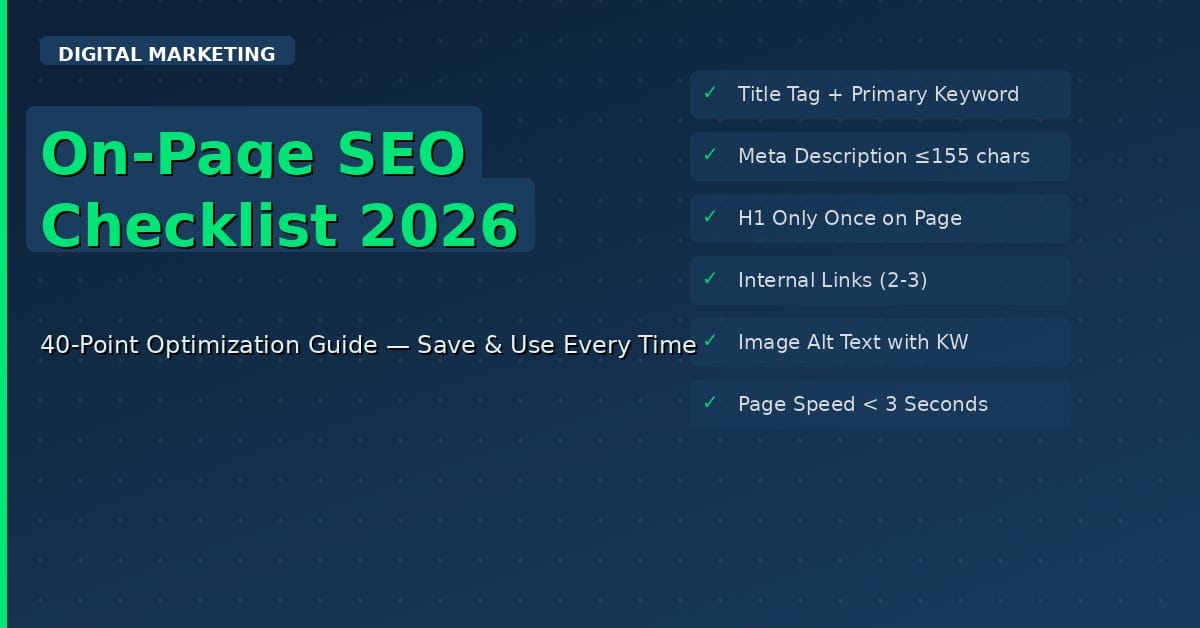
- Primary keyword in: H1 heading, first 100 words, meta title (50-60 characters), meta description (140-160 characters), and URL slug
- LSI keywords distributed naturally throughout the body without stuffing
- FAQ section targeting question-based long-tail variants of your primary keyword
- Three to five internal links to related content on your own site, with descriptive anchor text
- One to two external links to authoritative sources — Google, HubSpot, Semrush, or Ahrefs
Including a relevant keyword in your page’s permalink can increase click-through rate by up to 45%. For a complete walkthrough of on-page implementation, see the on-page SEO checklist on aicontenthive.com.
Keyword Research Tools: Quick Comparison
| Tool | Best Use Case | Cost |
|---|---|---|
| Google Keyword Planner | Free starting point, volume estimates | Free |
| Semrush | Competitor analysis, keyword clusters | Paid (limited free tier) |
| Ahrefs | Data accuracy, click metrics | Paid |
| Google Search Console | Optimising existing pages | Free |
| Ubersuggest | Budget-friendly all-in-one | Freemium |
| Answer The Public | Question-based keyword discovery | Freemium |
For a detailed breakdown of AI-powered options, visit the AI Tools for Content Marketing guide on aicontenthive.com.
FAQ: Keyword Research for SEO
How many keywords should I target per page?
Target one primary keyword per page. You can weave in three to five related LSI keywords naturally, but trying to rank for multiple primary keywords on a single page almost always results in poor rankings for all of them.
What is a good search volume for a beginner site?
For new sites, target keywords with 100-1,000 monthly searches and KD below 30. Volume alone is a misleading metric — a 200 searches/month keyword in a high-conversion niche can outperform a 10,000 searches/month keyword with no buying intent.
How long does it take to rank for a keyword?
60% of pages in Google’s top 10 results are over three years old. New content targeting low-competition keywords (KD below 20) can reach page one within three to six months. Competitive terms may take 12-24 months or longer.
Is Google Keyword Planner accurate enough on its own?
No. Google Keyword Planner is accurate only 45% of the time, with volumes overestimated in about 54% of cases. Use it as a free starting point, but always validate final keyword choices with Semrush or Ahrefs data before committing.
What is the difference between keyword difficulty and competition?
Keyword difficulty (KD) measures how hard it is to rank organically in Google’s search results. The competition score in Google Keyword Planner refers only to paid advertising competition. They are entirely separate metrics and should never be used interchangeably.
Should I optimise for AI search engines too?
Yes. AI platforms drove over 1 billion referral visits in June 2025, and that number is accelerating. To appear in AI answers, write structured, authoritative content that directly answers specific questions — the same approach that earns featured snippets on traditional Google results.
How do I find what keywords my competitors are ranking for?
Use Semrush’s Keyword Gap tool or Ahrefs’ Content Gap feature. Input your domain alongside up to four competitor domains and both platforms will generate a list of keywords competitors rank for that your site does not currently target.
Wrapping Up
Keyword research for SEO is not a one-time task before you launch a blog post — it is an ongoing discipline that informs every content decision you make. Start with seed keywords, expand with tools, filter by intent and difficulty, build topic clusters, and consistently monitor what competitors are ranking for that you are not.
75% of people never scroll past the first page of Google results. The difference between page one and page two starts, in almost every case, with the quality of keyword research done before the first word was written.
Apply this process consistently and your content will start earning rankings — and AI citations — rather than sitting unread.
Read more on aicontenthive.com